
Feelworld / Monitor Platform
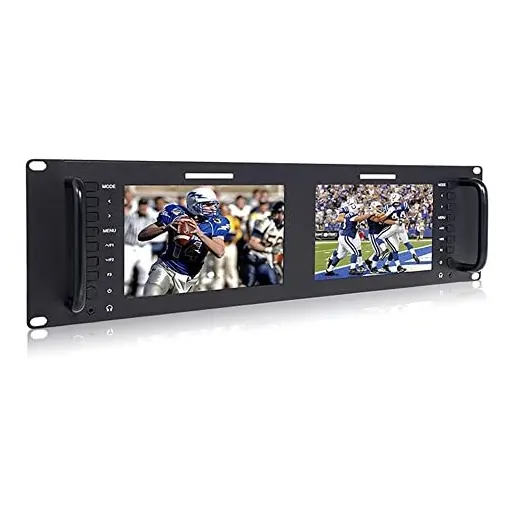
Feelworld D71-H Dual Monitor 7" 3RU IPS 1280x800 LCD Rackmount Monitor with HDMI
SKU KY-C78FD32C3F4E · Unit: piece
Features Slim design and 3RU size Slim design and 3RU size wide viewing angle IPS screen, high resolution 1280x800, bright and colorful display Software control via Ethernet connection Uses power or s
Review quotation list →Ask sales to confirm stock, configuration and compatibility.
Product description
Features Peek Focus Assist (Red Highlights on some of the black and white images) Checkfield (Red, Green, Blue, Mono) Pixel to Pixel Center Marker Safe Markers (80%, 85%, 90%, 93%, 96%, 2.35:1) Image Flip (horizontal, vertical, horizontal and horizontal) Image Freeze Custom Color Temperature Monitoring by 3.5mm stereo headphone jack on front panel Use 12V power supply to power or use standard 4-pin XLR Specifications Model: D71H Screen Size: 7" x 2" IPS Resolution: 1280 x 800 pixels Dot Pitch: 0.04 inches (0.117 mm) (H) x 0.04 inches (0.117 mm) (V) Aspect Ratio: 16:10 Brightness: 400 cd /m² Contrast Ratio: 800:1 Backlight: LED Viewing angle: 89°/ 89°(L / R) 89°/ 89°(U/D) Input Voltage: DC 9-24V Power consumption: ≤20W Power Connector: DC / 4 pin XLR Working temperature: -4°F to 122°F (-20°C to 55°C). Storage Temperature: -30°C - 65°C Installation Method : Rackmount Unit Weight: 1,890g Input (each LCD): HDMI, video, audio (L / R) Output (each LCD): HDMI, video Audio (Each LCD): 1 x Stereo headphones 7 7 Package 1 x Feel World D71H 1 x 3A Power Adapter 1 x Operation Manual HDMI Support Format: 480I / 576i / 480P / 576P 1080i (60 / 59.94 / 50) 720p (60/59.94/50/30/24/23.98) 1080 (60 / 59.94 / 50 / 30 / 29.97 / 25 / 24 / 24sF / 23.98 / 23.98 sF) 8 Network Control The D71 rackmount monitor includes a LAN port, which allows the operator to control software through an Ethernet connection (including software).The LAN Port 100 on the back panel connects the unit to LAN. Once connected, the user simply find the IP address of the unit connected to LAN. This can be accomplished by navigating to the main menu of the connected unit and selecting the network configuration sub-menu.