
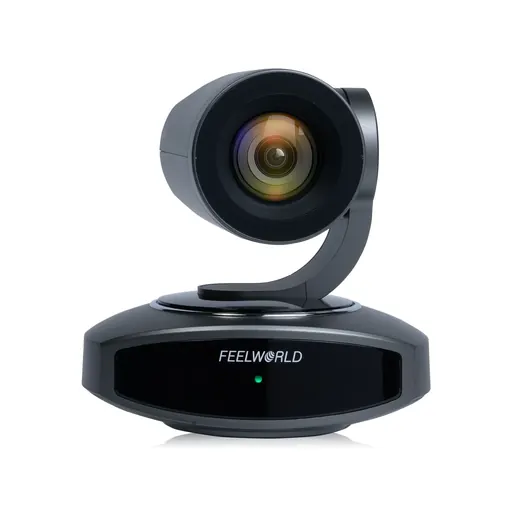
Feelworld / Camera
Feelworld 4K10X 4K PTZ Camera 10X Optical Zoom AI Tracking HDMI USB IP Remote Control POE Supported
SKU KY-B080826A7606 · Unit: piece
Camera Parameters Model 4K10X Sensor 1/2.8 inch high quality CMOS sensor Effective Pixels 8.29 megapixel, 16:9 View Angle H:7.6°(N)~67.5°(W) Iris F1.76 ~ F3.0±5% Digital Zoom 16X Optical Zoom 10X Mini
Review quotation list →Ask sales to confirm stock, configuration and compatibility.
Product description
4K UHD PTZ Camera The FEELWORLD 4K10X 4K UHD PTZ camera boasts a cutting-edge, high-performance CMOS sensor, delivering stunningly sharp video, vibrant colors, and exceptional optical precision at resolutions up to 4K. Its wide-angle lens captures a broad field of view, ensuring smooth, seamless visuals and superior image quality for meetings, presentations,live streaming and all your visual communication needs. Superior Compatibility HDMI+USB+LAN Video Outputs Simultaneously 4K10X is equipped with HDMI,LAN and USB3.0 outputs which can output video simultaneously. LAN supports POE powered and IP control. The control interface RS232 connect with PTZ controller to control PTZ camera, and USB2.0 can be connected USB microphone or USB flash driver. Multi-cam Live Streaming Solution 1.You can use two or three 4K10X for medium live streaming, and use three or four 4K10X for large live streaming.Use with FEELWORLD L2 PLUS/L4 video switcher, can be monitor in real-time and connect PC to play PPT. 2.PTZ control: In the same LAN, you can easily control 4K10X via L2 PLUS/L4 or KBC20 controller. 3.Stream to Platform: Through USB/Ethernet, you can stream on your favorite platforms. Ultra HD Vision Experience Adopts 1/2.8 inch 8.29 megapixel high quality CMOS sensor, that features up to a 3840 x 2160 UHD resolution at 30 frames per second under HDMI, USB-C main stream MJPG/H264 and network stream,experience the next level of clarity. 10X Optical Zoom 10X optical zoom gets you closer without compromising color, detail, or tone. Accurate and Sensitive Auto Focus In auto focus mode, 4K10X allows you to always focus on the correct part and accurately capture your facial expressions. Silent and Smooth PTZ Movement 4K10X can be controlled remotely to rotate 250° (±125°) horizontally and 60°(±30°) vertically in an accurate, smooth and silent way. 67.5° wide-angle with wide field of view. AI Human Auto Tracking With real-time tracking and zone tracking.The camera can automatically track you real time so that you stay in the center. Made for Church Services,house of Worship, Teaching and Education,Broadcast, High-Tech Conference, Summit Forum, Events. AI tracking shortcut key on the remote controller 【F1】:Turn off AI Human Detection 【F2】:Turn on AI Human Detection 【F3】:Toggle between real time tracking mode and zone tracking mode 【F4】:Chang tracking target on real time tracking mode Unlock More AI Setting Access the Web UI to experience more advanced person/zone tracking settings Power over Ethernet Just with a single Ethernet cable, you can power for device and control, simplifying the setup. Note: 1.You must use a CAT6 or higher Ethernet Cable to ensure normal operation. 2.Make sure your Router or Network Switch supports PoE to power the camera through the Ethernet cable. (the Switch at least comply with the IEEE802.3af/at standard,the output voltage 48V or above). Easy 10 Preset Setting 10 Preset positions by IR remote controller,you can save pan, tilt, and zoom settings, and smoothly transitions between them at the touch of a button. Up to 255 preset positions via network control or keyboard controller. Versatile Ways to Control Your Camera You can Pan, tilt, and zoom with the hand-held remote to see everything in your workspace. You can also get more control ways via connect interface. Note: The distance of IR remote control about 10M, the higher of battery level, the better effect. Remote Controller Instruction Various Installation Methods The camera can be installed on wall,tripod and celling, you can also put it on the desk directly.Applicable to different usage scenarios. Remark: The bracket of wall and celling can be selected one, default to wall bracket.