
Xvive / Audio Accessories
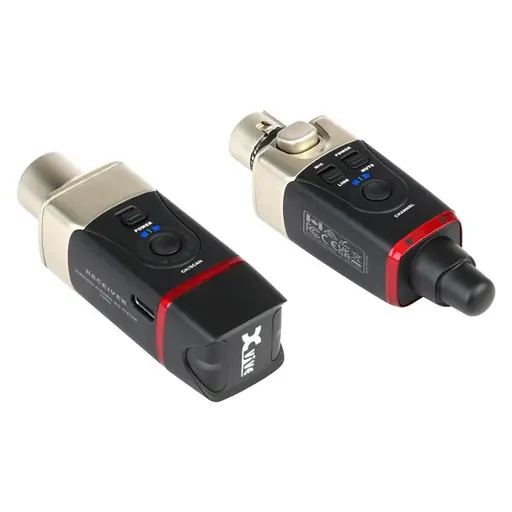
Xvive Audio U35 Wireless System for Dynamic Microphones (5.8 GHz)
SKU KY-A3CB23EDBD93 · Unit: piece
Key Features Wireless System for XLR Dynamic Mics Interference-Free 5.8 GHz Band Up to 100' Wireless Range High-Quality 24-Bit / 48 kHz Audio Six Wireless Channels, Auto-Scan Feature Selectable Mic Mo
Review quotation list →Ask sales to confirm stock, configuration and compatibility.
Product description
Ideal for performers and presenters looking to connect to PA systems and mixers without tangled cables, the U35 from Xvive Audio is a wireless mic system that works with virtually any dynamic mic or XLR audio source. Utilizing the 5.8 GHz wireless band, this system provides crisp, 24-bit / 48 kHz audio free from interference that plagues the more crowded 2.4 GHz band. The U35 system provides one transmitter, which plugs into your XLR microphone output, and one receiver, which connects directly to your mixer, PA system, or recorder. The transmitter can also be connected to a mixer or other device which outputs audio via XLR, making it a versatile wireless system for numerous applications. The system offers a wide range of 100' (depending on obstructions) and less than 5 ms of latency. Up to six wireless channels are available, which can be scanned by the receiver to quickly find an optimal channel, and up to six systems can be set up simultaneously in the same area. Both transmitter and receiver provide up to five hours of battery life, and recharging is easy via the included USB-A to dual-USB-C charging cable. Ideal Applications Live music performance Recording sessions Theatrical productions Public speaking Outdoor applications Education Auto-Scan for Best Channel Press and hold the channel button on the Receiver for three seconds to enter Channel Scan mode. The receiver's channel LED will flash during scanning and then will stay on the optimal wireless channel. When scanning is complete, manually set the transmitter's channel to be the same as the receiver channel. Mic and Line Mode Generally, when connecting a microphone and/or connecting to an XLR output, use Mic mode. If the audio distorts due to too much signal while connected to an XLR output, switch to Line mode. Line mode will attenuate the volume by 10 dB to allow for a wider dynamic range on the input.